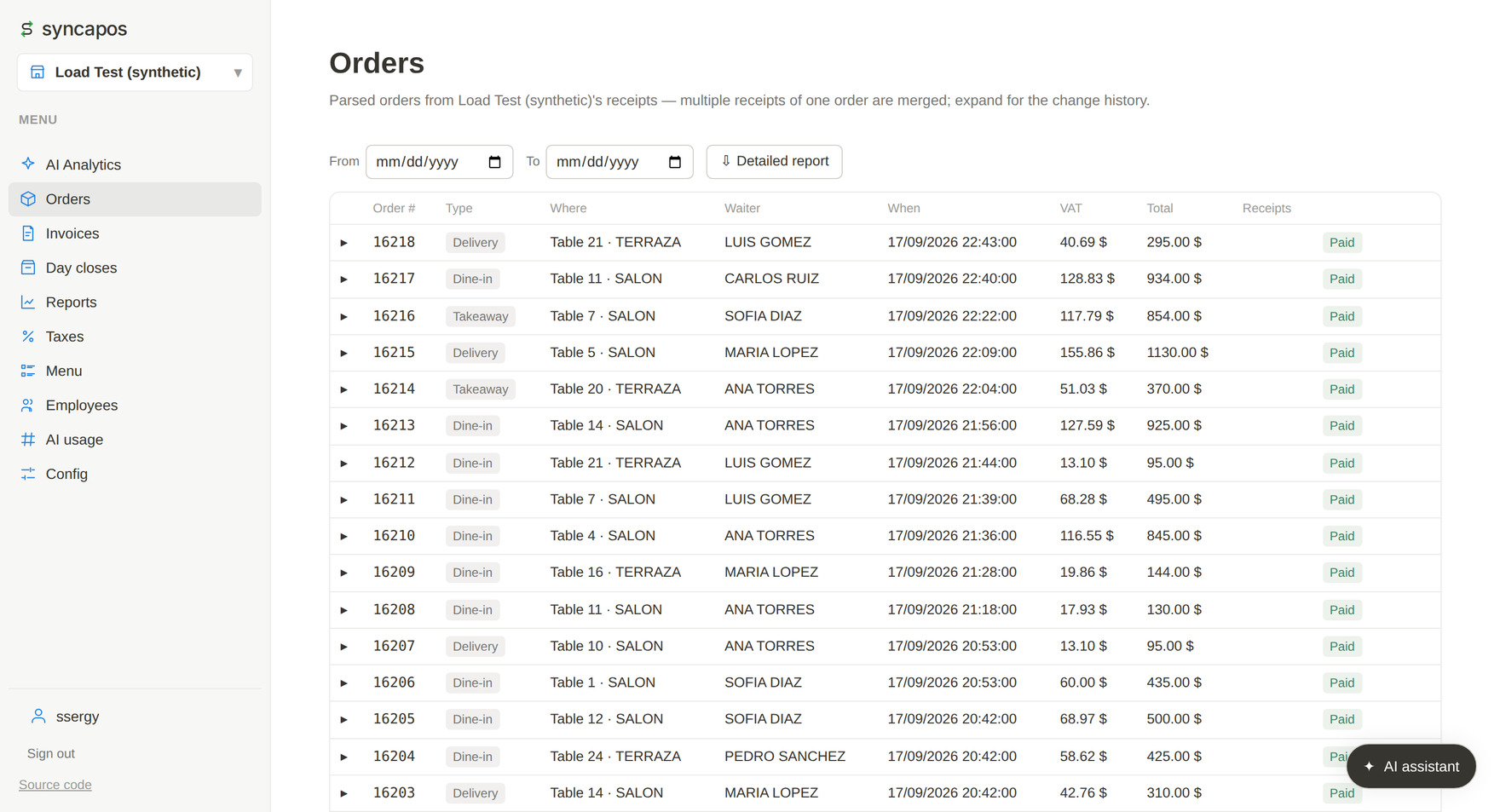
Several tickets of one bill are folded into a single order.
For old points of sale with no cloud and no way to export anything: syncapos reads what the till already prints — or its own database — and turns it into sales, orders, shifts, invoices and reports you can open from any phone.
AGPL-3.0 · self-hosted · Windows XP SP3 → 11 · no POS changes
Several tickets of one bill are folded into a single order.
HOW IT WORKS
An agent runs on the point-of-sale machine. You pick one of the two and the other is off: the same sale twice cannot be told from two sales.
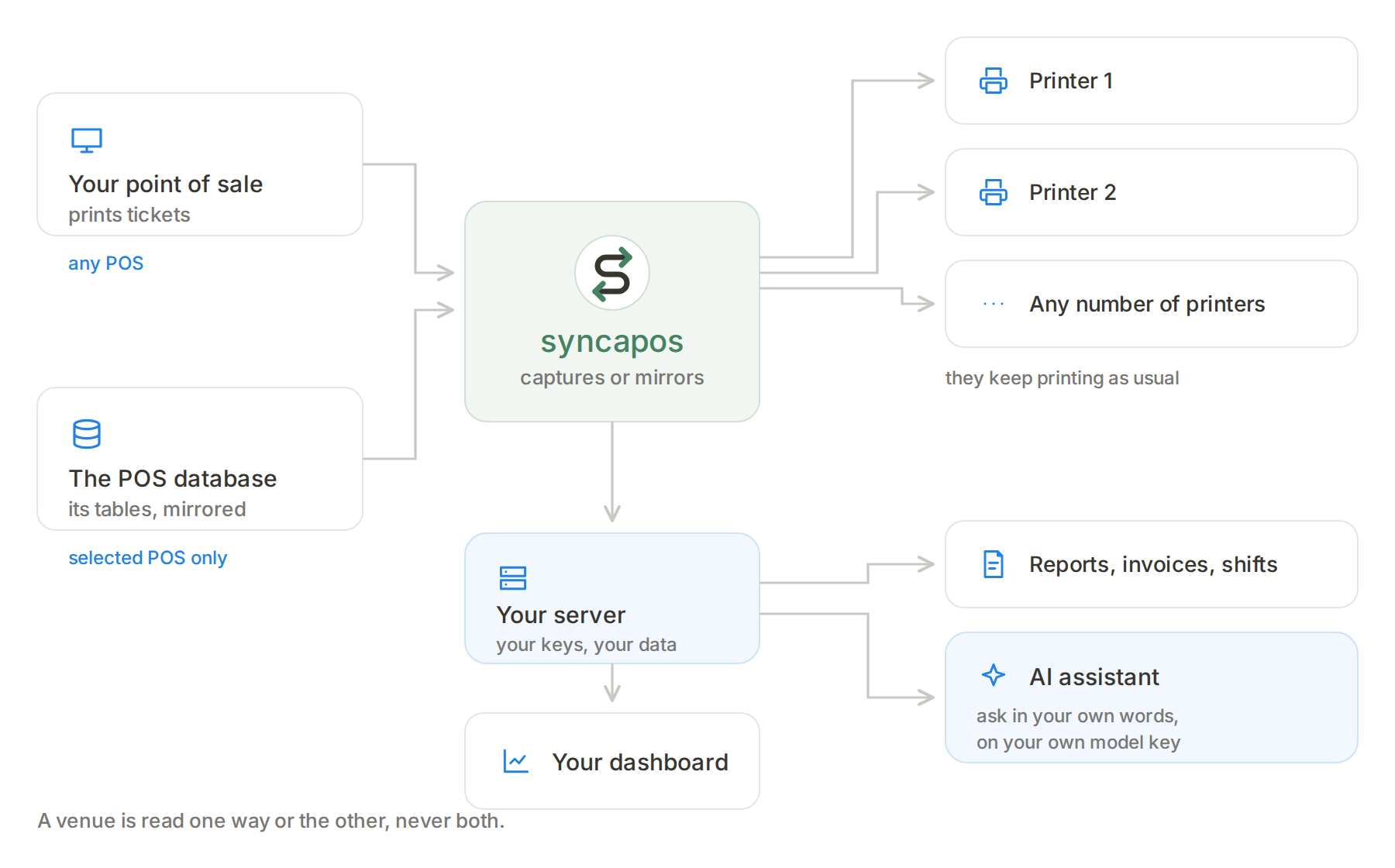
It sits between the point of sale and its printer, copies every ticket and sends it. The till prints as it always did; nobody touches the POS.
It reads the point of sale's own database and mirrors its tables. That way what never printed comes in too: cancellations, reopened tables, later discounts. Today: SoftRestaurant 8, 9, 10 and 11.
WHAT YOU INSTALL
Without the agent nothing arrives; without the server there is nowhere for it to arrive. Both are yours, and both are open source.
A Windows application that copies tickets as they print, or reads the point of sale's database, and sends them to the server. It runs from Windows XP SP3 to Windows 11. If the internet drops it keeps what it captured and sends it later.
It receives what the agent sends and turns it into sales, orders, shifts, invoices and reports. It is what you open in the browser. Installed with Docker on your own machine; that is where your data and your keys live.
WHY
No migration, no reinstall, no retraining.
It runs on your server, with your keys. There is no service of ours to send anything to.
Tickets keep printing when the internet drops, and what was captured sends itself later.
Open source under AGPL-3.0. Run it for your own venues and owe nothing.
ASSISTANT
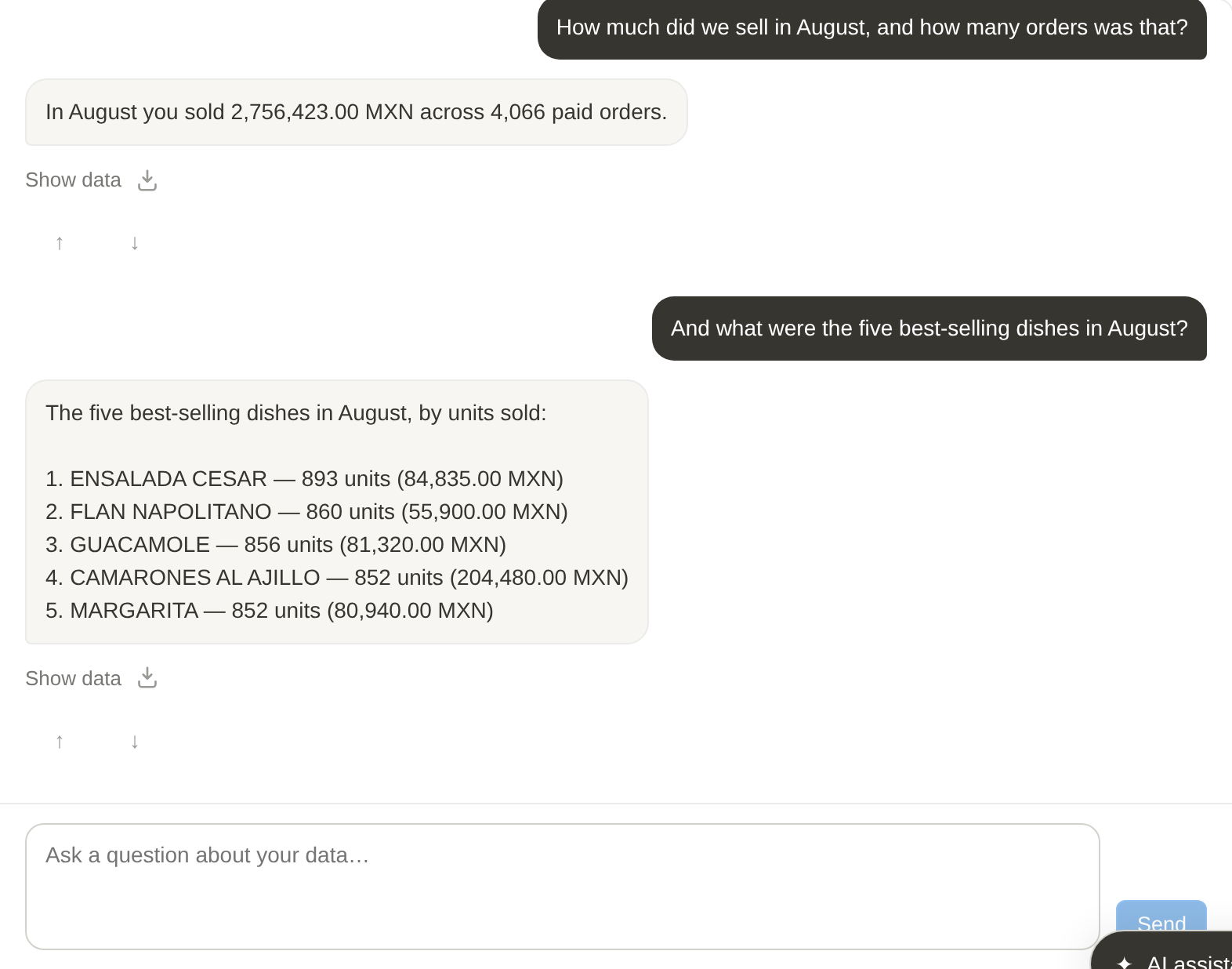
You ask the way you would ask your accountant — how much did we sell in August, which dish sells most — and the answer comes from that venue's data.
The assistant talks to a model provider and the account is yours: OpenAI, Anthropic, DeepSeek or OpenRouter. You open the account wherever you prefer, paste the key once in Settings and it is stored sealed on your server. No key of ours is involved and we charge nothing for this — you pay the provider for what you use, and you set a daily token ceiling so it cannot run away. Without a key everything else works the same; only the assistant stays off.
POINTS OF SALE
| Point of sale | Printed ticket | POS database |
|---|---|---|
| SoftRestaurant 11 | Yes | Yes |
| SoftRestaurant 10 | Yes | Yes |
| SoftRestaurant 9 | Yes | Yes |
| SoftRestaurant 8 | Yes | Yes |
| Any other point of sale | Yes | — |
All four, tested against real installations. Another till reads from the ticket: what it prints is written down in a table, with no programming.
INSTALL
One on your server and one on each till's computer. Neither is any use on its own.
git clone https://github.com/ssergy/syncapos.git
cd syncapos
docker compose up
Open localhost:8080 and sign up. There is no file to edit first.
Download the installer from Releases and run it. In Setup you pick the mode — printer or database — and type your server's address, the venue and its key. It runs from Windows XP SP3 to Windows 11.
The two parts live in their own repositories, both under AGPL-3.0: server and agent. The full guide is in the documentation.
CONTACT
If you have any question, write to me and I will try to help.